Misty Look – A Beautiful and Functional WordPress Theme
Latest and Greatest
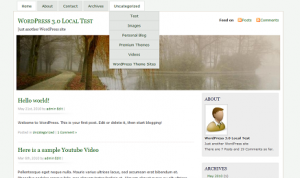 If you are using WordPress 3.0, Please try our new version that supports “Custom Menu” and other features of WordPress 3.0.
Download MistyLook 3.8RC.
What’s New:
1. Support for “Custom Menu” feature
2. Support for Custom Background feature.
3. Removed the search bar from the top, due to popular demand.
Language Packs for MistyLook 3.8 RC
- Spanish Translation File done by Andreas Beraz
Previous Version
MistyLook 3.7.2 is good for WordPress versions upto 2.9.
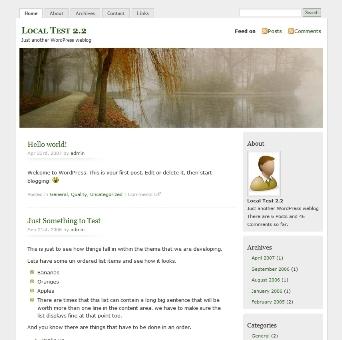
Language Packs for MistyLook 3.7.2
- Czech Translation file done by Ales Daniel.
- Arabic Translation file done by Ferasof.
- German Translation file done by Ulli.
Language Packs created for MistyLook 3.6 version, which might still work for the new version
Here are the different language packs available for the MistyLook theme. It is done by volunteers to whom I am really thankful for.
- Download Dutch Translation File by Jozef Schildermans.
- Download Tamil Translation File by RaviShankar.
- Download Russian Translation File by Elf.
- Download French Translation File by Brahim MACHKOURI.
Another French Translation was done by Patrick Vanhoucke. You can also download that.
- Download Chinese Translation File by Jiang
- Download Danish Translation File by Henrik.
- Download Czech Translation File by Ales Daniel.
- Download Japanese Translation File by vyv00411.
- Download Finnish Translation File by WS.
See how to use these language packs, at How to use an Internationalized theme for WordPress?.
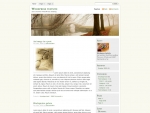
I am being very proud to release this new theme “Misty Look”.
The header image is taken from sxc.hu. I am really thankful to the author TouTouke because only after finding this image, I decided to release this theme.
As usual, a lot of care and attention is put into building this theme, and I hope you will find it useful and appealing.
Some Notes on the Features:
- Compatible with Sidebar Widgets Plugin.
- Works Well with WordPress 1.5 and above.
- Includes a Page Template for the Archives Page. [Activate this theme. Just create a new page and use ‘Archives’ as the Page Template.Period.]
- Includes a Page Template for the Contact Page.
[Activate this theme. Just create a new page and use ‘Contact’ as the Page Template.Period.] - Includes a Page Template for the Links Page,so you can display all the links you have in a separate page.
- Includes 404 Template, Search Template, and Archive Template too…
- Just get your profile image, name it ‘profile.jpg’ and place it within the ‘img’ folder inside this theme’s folder. It will get displayed in the front page under ‘About’.


If you have to say something nice about this theme, please do so in your website and trackback this page.
Thanks.